FishVerify: ID & Regulations
- 4.3
- Rating
- 100.00K
- Installs
- Free
- Price

 Analysis by App-foxy
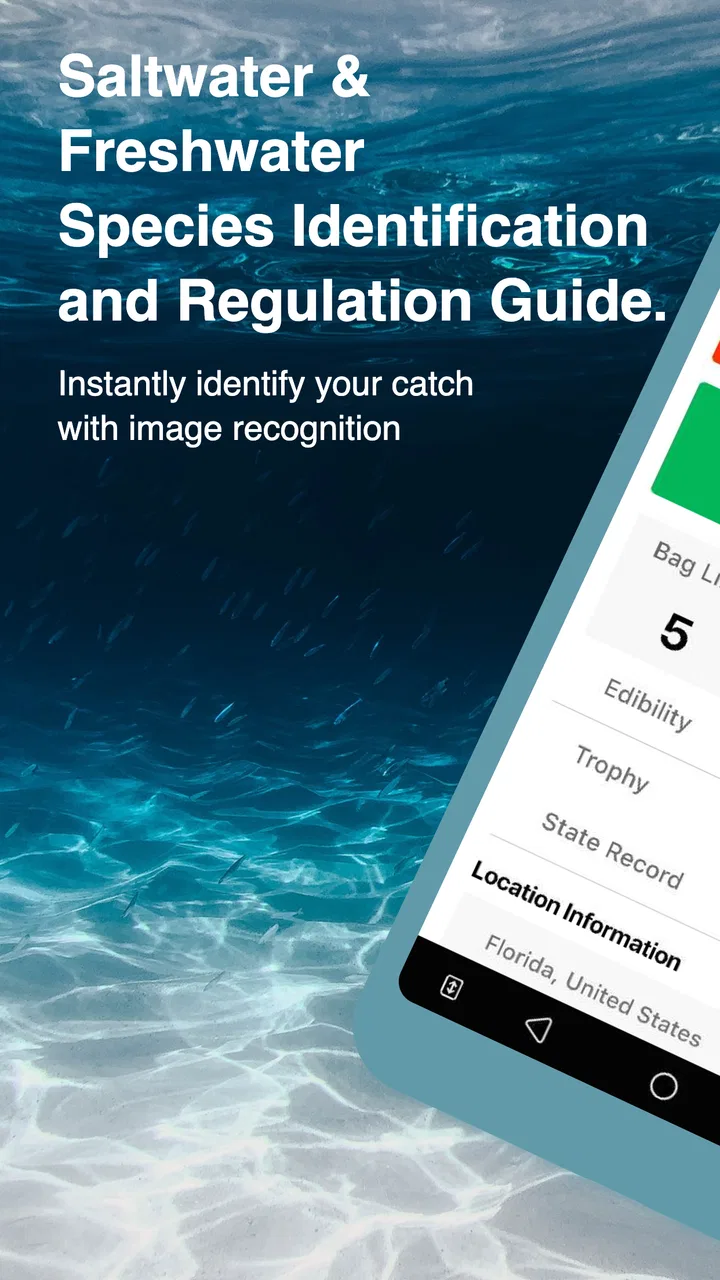
When I am standing beside the water with an unfamiliar catch in front of me, the first problem is usually not finding a fishing spot or choosing a lure. It is knowing exactly what I have caught and whether I am allowed to keep it. FishVerify: ID & Regulations is built for that moment. It is a free sports app from FishVerify, LLC. that combines fish identification, regulation information, catch logging, and related fishing tools in one place.
I see its main value in the handoff between catching a fish and making a responsible decision. Instead of relying on a quick visual guess, searching through scattered pages, or asking someone nearby, I can use the app as a starting point for identification and then check the relevant rules. That makes it more useful than a simple species-recognition tool, although it is not something I would treat as the only authority when a legal decision carries serious consequences.
The app has been available since April 5, 2018, and its current version is 5.7. Its Everyone content rating makes it approachable for families, beginners, and younger anglers learning the basics. It has passed the 100K+ installs mark and holds a 4.3 average from around 657 ratings, which suggests a solid level of interest without making it seem like an unquestionable standard.
You May Also Like

 Blood Strike: 2.5 Anniversary
Blood Strike’s Loadouts Turn Every Drop Into a Tactical Gamble
A close look at Blood Strike’s custom loadouts: how fast access to signature weapons reshapes its battle royale rhythm, rewards preparation, and narrows the gap between fights.

 Pandora - Music & Podcasts
Pandora’s Music Is Easy to Start, but Harder to Recover
Pandora’s strength is its low-effort path from a seed to a station. Its weak spot is how much confidence it asks you to place in connection, setup, and quiet recovery.

 8 Ball Pool
 Is Built on Rivalries, Rematches, and Routine
A close look at the rivalries, rematches, shared routines, and unanswered safety questions that turn a quick pool match into a persistent mobile community.

 Samsung Music
’s Quiet Strength Is Playing What You Already Own
Its reach comes less from spectacle than from dependable access to a personal library. That simplicity is both the app’s strongest retention engine and its ceiling.

 AccuWeather: Weather Radar
AccuWeather Review: A Quick, Clear Forecast for Everyday Decisions
For everyday plans, the best forecast is the one you can understand quickly. AccuWeather makes rain timing, radar, and local conditions easy to act on, with a few trade-offs.

 Hill Climb Racing
Why Hill Climb Racing Still Turns Crashes Into One More Run
A tiny car, a bumpy hill and one more upgrade: Hill Climb Racing keeps resurfacing because its simple chaos makes every near-miss feel personal.
More From Our News Desk



From an Unfamiliar Catch to a Clearer Decision
I’ll focus on the moment when a quick identification needs to become a careful choice, rather than treating a suggested species as the whole answer. I also want to show how I would use the app’s catch log to preserve useful context for a later trip, especially when I am still learning a waterway.
The starting condition: a fish, a phone, and a question
The most realistic use begins with uncertainty. I have a fish in front of me, but I am not completely sure of the species, the local name, or the rules that apply to it. Similar-looking fish can create genuine confusion, especially when color changes with water conditions, the fish is young, or I am looking at it quickly while trying to keep it healthy.
That is where the identification side earns its place. Rather than opening a general web search and sorting through unrelated images, I can use FishVerify as a focused first step. The app is designed around identifying fish and species, so the process feels more relevant to an angler than a broad image-search service. The important distinction is that the result should be treated as guidance to verify, not as permission to keep the catch automatically.
My practical advice is to take a clear photograph before rushing through the process. I would place the fish in good light, keep the whole body visible, and avoid covering the head, fins, or distinctive markings. A rushed or poorly framed image can make any recognition system less useful. This is one of the less obvious workflow details: the quality of the handoff from the real-world catch to the phone directly affects the quality of the next step.
I would also avoid making the fish wait unnecessarily while I investigate. If I am practicing catch and release, I would prepare the phone before lifting the fish, take the shortest useful image, and return my attention to handling it. FishVerify can support the decision, but good fish care still comes first. The app does not replace basic angling judgment, safe handling, or awareness of conditions at the water.
Step one: identify before interpreting the rules
Once I have an image or a clear visual reference, the app’s first job is to help narrow down the species. That is more valuable than it may sound. Regulations are often written around specific species, groups of species, or local classifications, so checking a rule for the wrong fish can create a false sense of confidence.
I like this order of operations: identify first, then inspect the regulations, then decide what to do. It prevents a common mistake I have made with ordinary online searches, where I find a regulation page that looks relevant before I have established whether it actually applies to the catch in my hands.
The identification result is best used as a short list of possibilities rather than a final verdict. I would compare the suggested species with visible features such as body shape, fin placement, coloration, and markings. If the app presents an answer that does not match what I can see, I would pause rather than forcing the result to fit. That extra check is especially important when several species in the same area look alike.
This is also where FishVerify differs from a field guide. A printed guide or a specialist reference may offer deeper descriptions and side-by-side distinctions, while the app is faster in the moment. The trade-off is convenience versus the slower, more deliberate confidence of a detailed reference. For a beginner who needs a practical first answer, the app is easier to reach. For a difficult identification, I would still use another trusted source or ask a local expert before acting.
Step two: move from identification to regulations
The next handoff is the feature that gives the app more practical weight. After I have a likely species, I can use the regulations portion to check the rules connected with fishing it. The store summary highlights rules alongside identification and catch logging, and that combination reflects how anglers actually make decisions: the species name is only useful if I know what I can legally do with it.
I would approach this screen carefully. Fishing rules can depend on location, season, size, bag limits, protected status, gear, and other conditions. I would read the applicable entry rather than scanning for one reassuring phrase. If the app shows a rule that seems to fit, I would still check that the location and circumstances match my trip.
That caution is not a criticism of the concept; it is a limitation of the situation. A regulation tool is only as useful as the context selected and the accuracy of the information available for that context. If I am fishing somewhere with complicated local restrictions, I would verify the final decision with the relevant official authority. FishVerify can reduce the search burden, but I would not use any mobile app as my sole legal safeguard.
For everyday use, this workflow is still much better than guessing. A beginner can identify the likely fish, look for the related rule, and understand which details need closer attention. An experienced angler can use it as a quick reminder when moving between waters or targeting a species that is not part of the usual routine.
Step three: record the catch instead of letting it disappear
The catch-log element changes the app from a one-time lookup tool into something I can return to after the trip. Logging a catch gives the identification a practical outcome: I am not only answering “what is this?” but also building a record of what I encountered.
I find this most useful when I am trying to notice patterns over time. A log can help me remember which species appeared during a particular outing, which catches I wanted to investigate later, and which locations or conditions were associated with them. Even without treating the record as scientific data, it is more reliable than trusting memory after several trips.
My preferred workflow would be to make the quick identification near the water, confirm the relevant rule before deciding whether to keep or release the fish, and add the catch details while the memory is still fresh. If I wait until much later, I may remember the species but forget the context that made the catch useful. The log is therefore strongest when it is part of the trip routine rather than an occasional cleanup task.
There is a small but important trade-off here. Recording catches takes time, and not every outing needs to become a detailed archive. If I am fishing casually for a short period, the log may feel like extra work. If I am learning a new waterway, tracking species, or trying to improve my understanding of local fishing, that extra step becomes worthwhile.
The handoffs that make or break the experience
The app’s usefulness depends on several handoffs: from the fish to the photograph, from the photograph to the species suggestion, from that suggestion to the regulation entry, and finally from the decision to the catch record. Each handoff can introduce friction.
The first is environmental. Bright glare, low light, movement, wet hands, or an awkward shoreline can make taking a useful image harder than it sounds. I would not expect the app to solve a poor photograph. Preparing the camera angle and keeping the fish visible matters more than repeatedly pressing buttons.
The second is interpretive. An identification result still needs a human check. I would look at the suggested species and ask whether it matches the visible features and the place where I am fishing. The app can make the first pass faster, but it does not remove the need to think.
The third is legal. A species name is not the same thing as a complete regulation decision. I would read the relevant conditions and make sure the rule applies to the exact place and situation. This is where an official source may be better than the app when the consequences of a mistake are high.
The final handoff is personal. A log is only useful if I enter enough information to recognize the catch later. I would rather make a short, accurate entry than create a complicated record I stop maintaining after one trip. The app works best when it fits naturally into the rhythm of fishing instead of interrupting every moment.
A realistic day beside the water
Imagine I am fishing at a place I do not visit often. I catch a fish that resembles a species I know, but the markings are not quite what I remember. I take a careful photo, use FishVerify to get a likely identification, and compare the result with the fish itself. The answer points me toward the relevant species information, so I move to the regulation section rather than deciding from memory.
I then check the applicable rule and notice that the decision depends on details I need to read carefully. If everything matches, I can make a more informed choice about keeping or releasing the fish. If the situation is unclear, I release it and verify the rule through a local official source later. Finally, I record the catch so I can remember the species and the circumstances of the outing.
That scenario shows the app’s strongest role. It does not magically turn uncertainty into certainty. Instead, it shortens the distance between an unfamiliar catch and a responsible next action. The result is a more organized decision, not a substitute for judgment.
Where the flow breaks down
The biggest weakness is the risk of overconfidence. A clean-looking identification can feel definitive even when the image or context is imperfect. I would be particularly careful with species that have close visual relatives, catches that are damaged, or situations where a legal mistake could be costly.
Another point of friction is that regulation information is not inherently simple. Even a well-designed screen cannot make every local rule easy to interpret. A user who wants a single universal answer may become frustrated when the correct decision requires reading conditions or checking an external authority.
The app is also less compelling for someone who already carries a specialist field guide, knows the local species well, and checks official rules directly. In that case, FishVerify may duplicate part of an established process. Its advantage is speed and consolidation, not necessarily greater depth than every dedicated alternative.
Likewise, it is not the right choice for someone seeking a complete fishing education, advanced biological reference, or a replacement for local knowledge. The app focuses on practical identification, rules, and catch records. I would choose a more specialized resource when I need detailed taxonomy, technical habitat information, or authoritative legal documentation.
Cost, access, and who should use it
FishVerify can be installed for free, with in-app purchases ranging from $0.99 to $47.99 per item. That makes it easy to try the basic workflow before deciding whether the additional paid options fit my needs. I would check the purchase details inside the app rather than assuming every tool is included at no cost.
The minimum operating system is Android 8.0, so users with older devices should check compatibility before planning around it. On supported phones, the app’s general audience and Everyone rating make it suitable for a family fishing trip or a beginner’s first independent outing.
I would recommend it most strongly to new anglers, people visiting unfamiliar fishing areas, and anyone who wants identification and catch records in the same fishing-focused app. It is also useful for experienced anglers who want a fast second opinion without carrying a separate reference for every trip.
I would skip it if I need legally definitive information with no room for interpretation, if I already have a trusted and more detailed local workflow, or if I dislike recording catches. In those cases, an official regulation source, a specialist field guide, or direct local advice may be the better tool.
My final take after following the complete workflow
What I appreciate about FishVerify is the way it connects the stages that are often separated in ordinary fishing routines. Identification leads into regulations, and the outcome can be saved as a catch record. That makes the app more useful than a basic “what fish is this?” utility.
My main recommendation is to use it as a decision aid, not as an unquestionable authority. Take a clear image, inspect the suggested species, read the rule in context, and verify complicated cases through an official source. That approach preserves the app’s convenience without handing over more responsibility than it can reasonably carry.
With a 4.3 average and a growing audience of more than 100K installs, it has earned a credible place among practical fishing apps, while its free entry point keeps the risk of trying it low. The developer, FishVerify, LLC., has focused the experience on a genuine problem anglers face at the water. My honest view is that it is most valuable when it helps you slow down for one careful check before turning a catch into a decision.
For me, that is the right standard. It will not replace experience, local regulations, or a good field guide, and it can become frustrating when identification or rules require deeper confirmation. But when I need a quick species lead, a convenient path toward the relevant rules, and a way to remember the catch afterward, FishVerify: ID & Regulations is a practical companion worth keeping on a supported phone.
FAQs for FishVerify: ID & Regulations
01What is FishVerify: ID & Regulations used for?
FishVerify is designed to help anglers identify fish species from a photo and check related fishing regulations. After taking or uploading an image, the app provides an identification result and may show information such as size limits, bag limits, seasons, and other local rules. It is particularly useful when you are unsure about a catch, but it should be treated as a helpful reference rather than a substitute for official wildlife guidance.
02How accurate is FishVerify’s fish identification feature?
The app can recognize many common fish, but its results depend heavily on image quality, lighting, the fish’s position, and how closely the species resembles others. Identification should therefore be considered an estimate, not a guaranteed determination. Before keeping or releasing a fish, compare the result with official identification resources and local regulations, especially when protected or similar-looking species are involved.
03Does FishVerify provide regulations for my exact location?
FishVerify may use your selected location or device location to display relevant fishing rules, but coverage and accuracy can vary by region. Regulations may also change during the season or differ between nearby waters, management zones, and species. Always confirm important details through the official website or agency responsible for the water you are fishing, including license requirements, closures, size limits, and possession restrictions.
04Does FishVerify require an internet connection or location access?
An internet connection is generally useful for uploading photos, processing identification requests, and retrieving current regulation information. Location access can make it easier to find rules for the area where you are fishing, although you may be able to choose a location manually if you prefer not to share your position. Availability of features may differ depending on your device, permissions, and region.
05Is FishVerify free to download, and are there extra costs?
FishVerify can typically be downloaded at no initial cost, but some features, identification requests, advanced information, or usage limits may depend on the app’s current subscription or in-app purchase options. The exact pricing and included tools can change, so review the listing and purchase screen before subscribing. Also check cancellation terms and privacy permissions if you plan to use the app regularly.
Pros
- Identifies many common freshwater and saltwater species quickly.
- Displays regional fishing regulations for supported locations.
- Useful photo-based tool for unfamiliar catches.
- Helps anglers check size and bag limits before keeping fish.
- Clean interface makes species searches easy on mobile.
Cons
- Accuracy can drop with blurry photos or unusual fish angles.
- Regulation coverage may vary significantly by location.
- Some features may require an active internet connection.
- Species results should be verified before making legal decisions.
- Advanced tools and full access may depend on a subscription.

FishVerify: ID & Regulations
Gallery